Operation setting of the flip type solder machine
Our Dongguan Hui the flip type soldering machine in the standby mode, press the [6.1. To 6.11.] shows {step sequence set and data selection key 0-9} groups and data display shows the project installed set the set value, if you do not need to change settings directly according to the key input back to the standby state, if want to change the settings, please to press a key press press is set to a new value, after modification again and press the input key back to standby state, the project installed set are described below.
Selection of operation mode {step sequence setting and data selection 0} factory setting value is [00000001]
Enter the operation mode selection, step sequence display and data display shows the set value of the operation mode of the eight digit, if want to change the settings, please first press a button and let the decimal point lights. At this time from right to left can respectively by {to} the number keys to modify from the set value, modification is completed according to the key input, can return to the standby state.
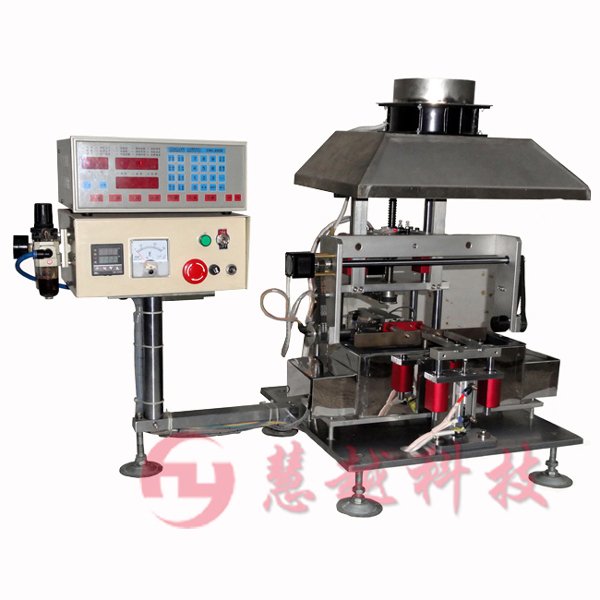
Turn type solder machine physical chart: